Classify
Classify decides what type each document is, against your taxonomies, and routes it to the extraction schema for that type — or hands it to a reviewer when it is not sure.
What Classify answers
Classify decides what a document is — an invoice, a bank statement, a KYC form — according to the taxonomies your workspace defines, and uses that answer to pick the extraction schema Extract will run. It operates on each document Split produces, or on the whole file when Split is off.
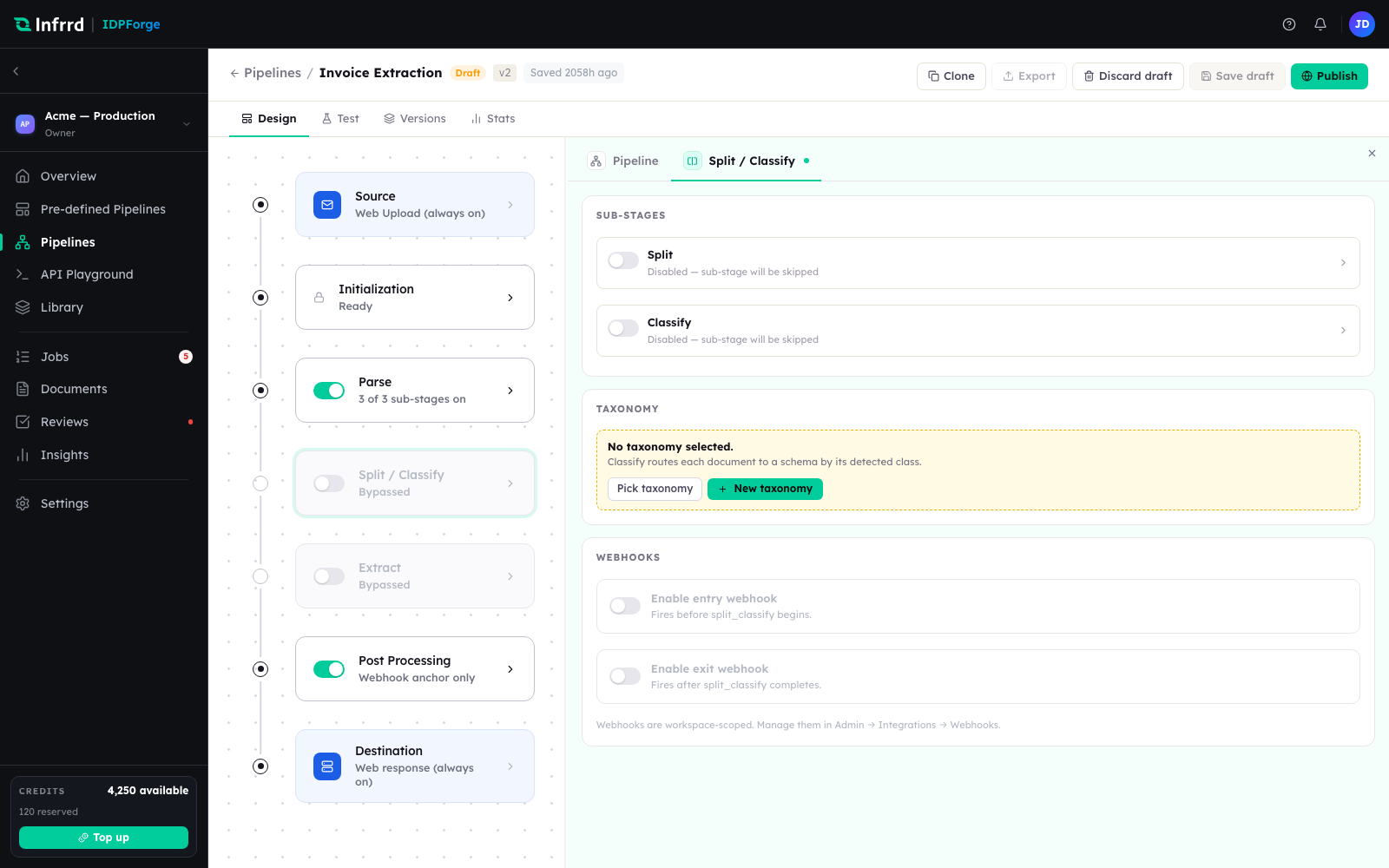
Classify sits beside Split under one stage card. The taxonomy panel binds the classes a document can be sorted into; classification routes each document to a schema by its detected class.
Taxonomies and routing
A taxonomy is the set of classes a document can be sorted into. Classify scores the document against each active, pipeline-enabled taxonomy and returns a class — potentially a hierarchical path, root to leaf, each level with its own confidence — plus up to three alternatives. Routing rules, evaluated in priority order, turn that class into a schema. The first matching rule wins.
When no rule matches and the pipeline has no default schema, the document has no resolved schema. That is a valid outcome, not an error: Extract falls back to its generic mode and returns whatever structure it can find. See Extract.
Low confidence and review
Classify is the Parse-side stage that can hold a document for a person. When a classification lands below the stage's confidence threshold and pause on low confidence is on, Classify:
- creates a review task for the document,
- marks the document — and its job — awaiting review, and
- emits a
reviewRequiredwebhook.
The stage itself is still recorded as complete: the work was done, and what is pending is a human decision, not more processing. The document's schema stays unresolved until a reviewer confirms the class. Reviewers clear these from a work queue — see Exceptions.
Awaiting-review is a hold, not an error. The job keeps its place and its reserved credits until the class is confirmed or the hold is released.
Configuration
Classify carries an enabled toggle, a model, a confidence threshold, the taxonomies it evaluates, and the pause on low confidence switch. Routing rules are configured separately from the stage and shared across the pipeline.
Classify on its own
Because Split and Classify are independent sub-stages, a classify-only pipeline — sort documents by type without cutting or extracting them — is a first-class configuration.